 Video Text Finder
Live Text makes you pause.
We scan the whole video.
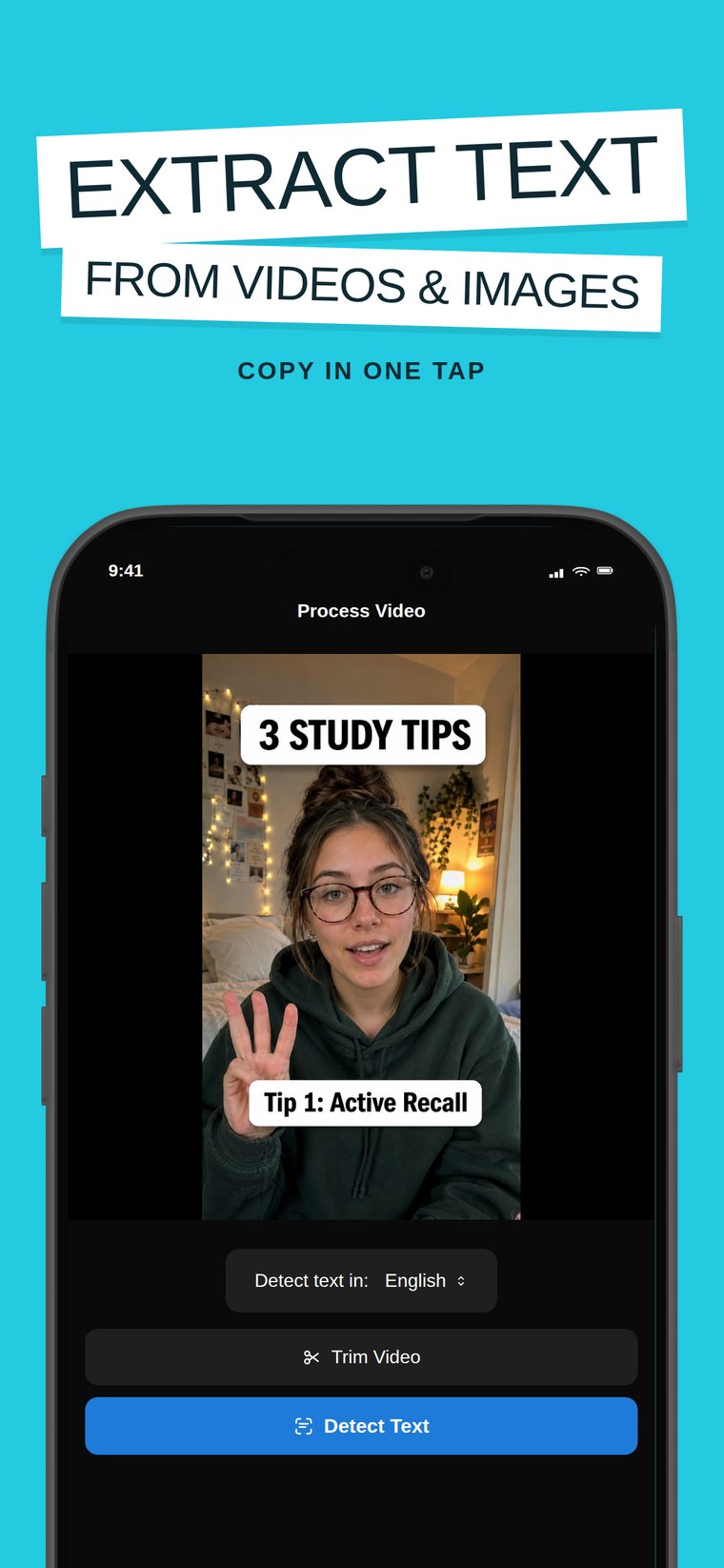
Extract text from video and photos with on-device AI OCR. Every subtitle, caption, code snippet, and overlay becomes selectable text you can copy, translate into 50+ languages, and export to TXT. Nothing is ever uploaded.
Download
One OCR engine. Every screen you own.
Same on-device text extraction, native on each platform.
iPhone & iPad
Scan videos and photos straight from your library. iOS 18+.
App Store →Mac
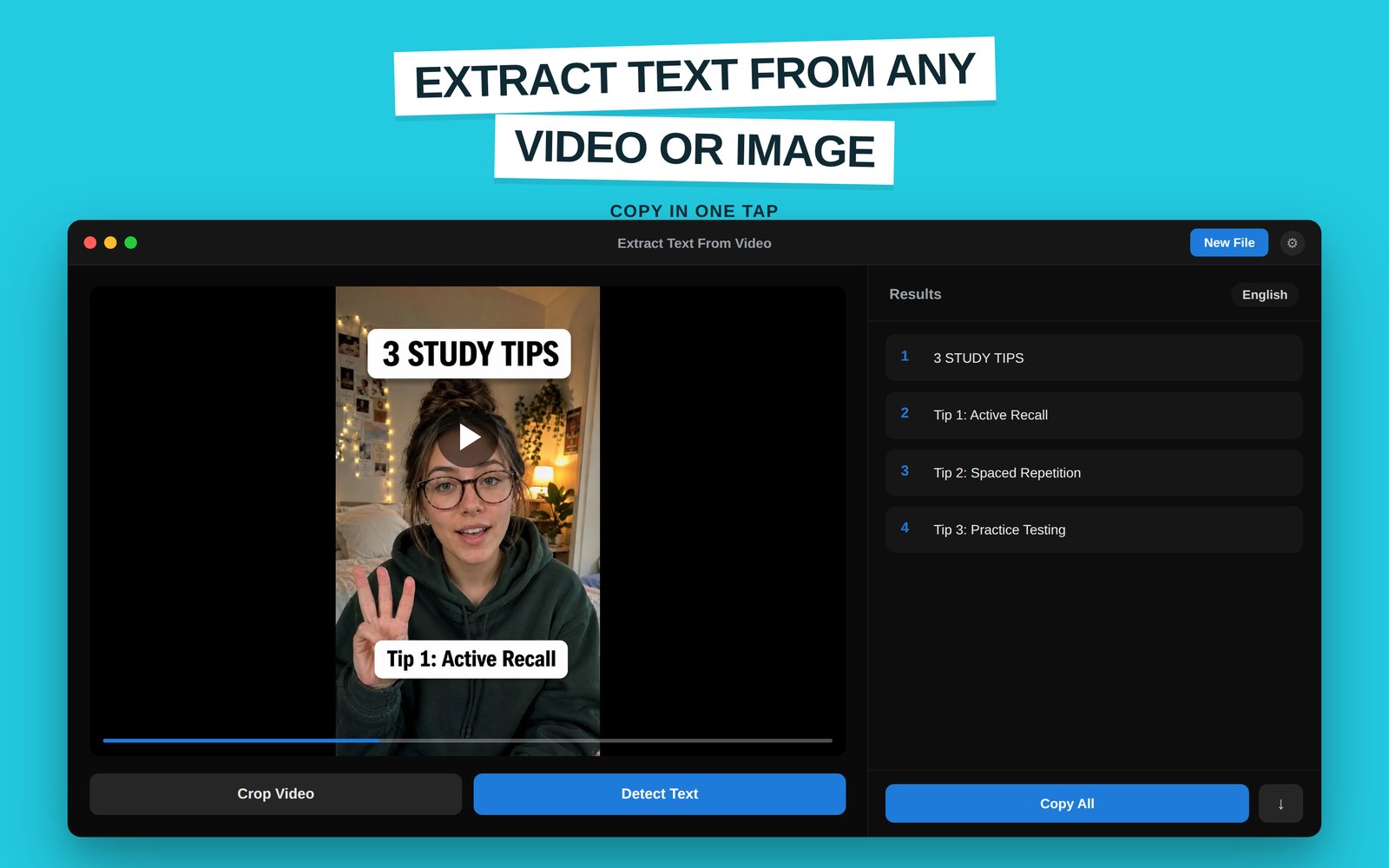
Drag, drop, extract — with crop tools and one-tap Copy All. macOS 13+.
Mac App Store →Windows
Image to Text: Extract from Photo & Video — with batch processing.
Microsoft Store →Chrome
TextSnap extension: copy text from videos and images right in the browser.
Chrome Web Store →In action
Every word on screen, made copyable
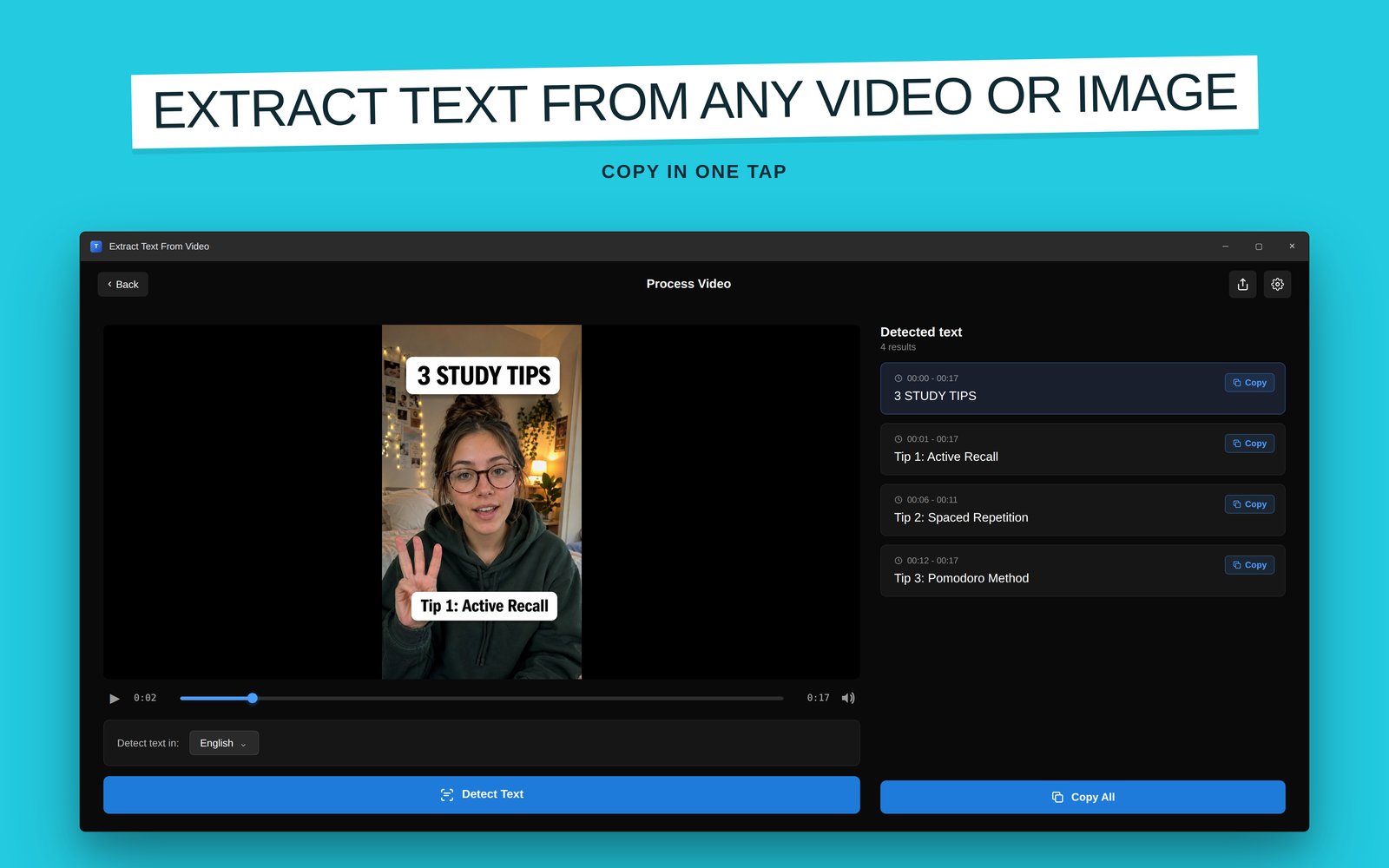
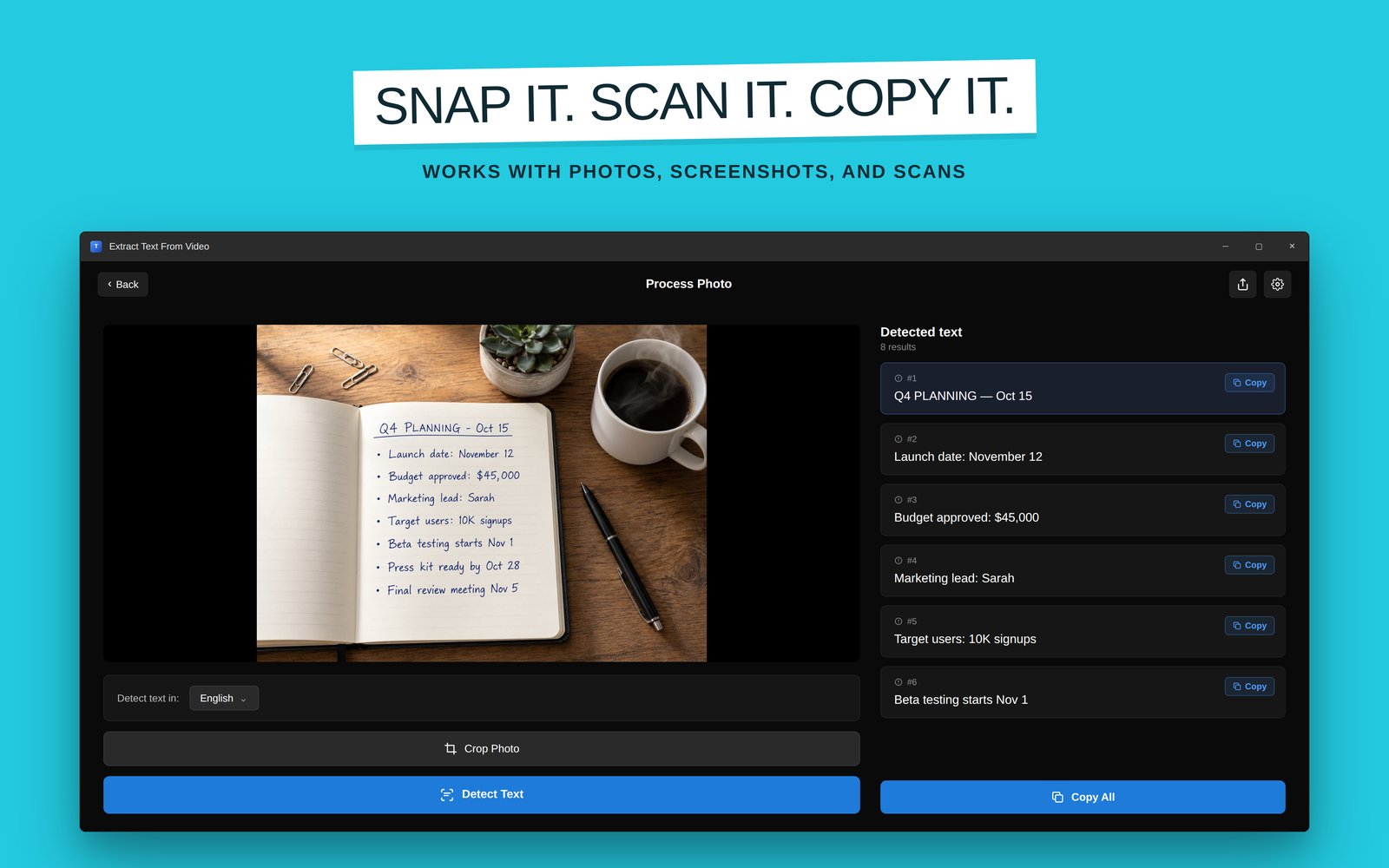
Real captures across platforms: video text detection with timestamps, translation, and photo extraction.
How it works
Import. Scan. Copy.
Add a video or photo
MP4, MOV, AVI, WMV videos (up to ~15 minutes) or JPG, PNG, WEBP, HEIC images — from your library, screen recordings, or saved clips.
AI OCR scans everything
The engine reads every frame and detects subtitles, captions, code, signs, and overlays — entirely on your device, nothing uploaded.
Copy, translate, export
Copy any detected text, translate it into 50+ languages with overlays, export to TXT, and keep your extraction history synced via iCloud.
Guides
The text-from-video problems people actually search for
Each guide answers one question, then shows the exact workflow in the app.
How to Copy Text From a Video on iPhone
Live Text works one paused frame at a time. Here's how to grab all the text from an entire video at once.
Read the guide → Pillar guideHow to Extract Text From a Video (Every Method)
Manual typing, Live Text, online uploaders, and on-device AI OCR compared — speed, accuracy, and privacy.
Read the guide → YouTubeHow to Extract Text From a YouTube Video
Copy code from tutorials, slides from lectures, and lists from video essays without typing them out.
Read the guide → TikTokHow to Copy Text From a TikTok Video
Recipes, book lists, and captions locked inside TikToks — get them into your notes in seconds.
Read the guide → Screen recordingsExtract Text From a Screen Recording
Error messages, code, and meeting slides captured in recordings — turn them back into editable text.
Read the guide → TranslationHow to Translate Text in a Video
Foreign signs, menus, and subtitles: detect the text and overlay translations in 50+ languages.
Read the guide → Video to textVideo to Text: OCR vs Transcription Explained
Two very different problems share one search term. Which one do you actually need, and which tool solves it?
Read the guide → SubtitlesExtract Hardcoded Subtitles From a Video
Burned-in subtitles have no subtitle file to download — but OCR can read them straight off the frames.
Read the guide → MacExtract Text From a Video on Mac
Live Text reads one paused frame. The Mac app scans every frame: drag, drop, Detect Text, Copy All.
Read the guide → WindowsExtract Text From a Video on Windows
Beyond snipping-tool OCR: scan whole videos and batch-process folders of files, all locally on your PC.
Read the guide → ChromeCopy Text From a Video in Your Browser
YouTube, courses, web TikToks: pause, snap the region with the TextSnap extension, paste. No download.
Read the guide →FAQ
Frequently asked questions
How do I copy text from a video on iPhone?
Can I extract text from a YouTube video?
Does this transcribe speech to text?
Can it extract hardcoded (burned-in) subtitles?
Can I translate the text found in a video?
Is my video uploaded anywhere?
What formats and video lengths are supported?
Is it available on Mac, Windows, or as a Chrome extension?
Does it work on photos and screenshots too?
Ready to scan
Stop retyping what's already written
Free to download. On-device AI OCR for videos and photos, translation in 50+ languages, TXT export. Your content never leaves your iPhone.
Download Video Text Finder free